Generating 3D Models
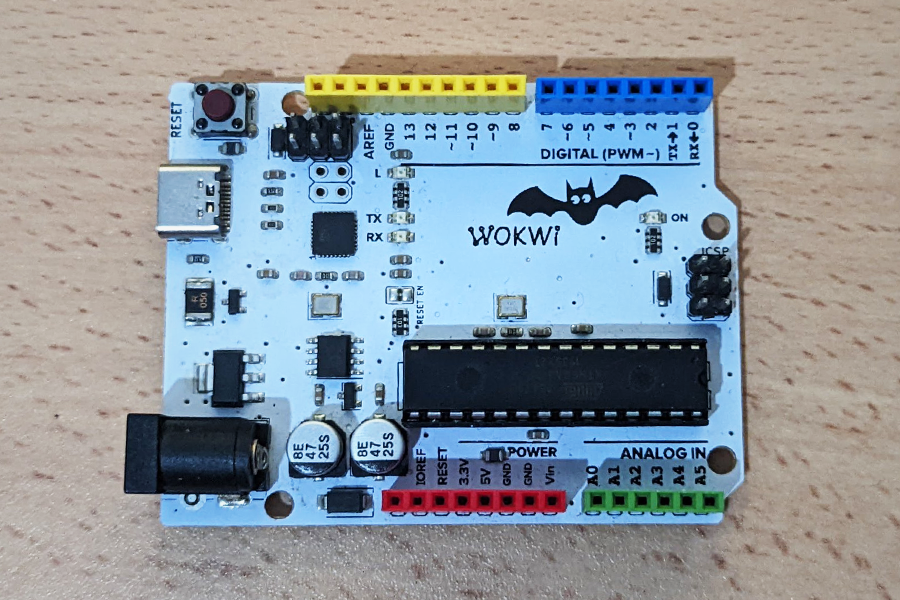
This board comes with 42 SMT components. In order to create a realistic 3D model for synthetic image generation, we had to pay attention to many small details. While bigger components are modeled, some smaller components are part of the texture. This strategy allowed us to create a 3D model that is lightweight, without adding unnecessary polygons.
Data labeling and model training
With the use of realistic 3D models and the help of syntheticAIdata service you can train your custom vision model with 3 simple steps:
1. Uploading the 3D model
2. Configuring the options
3. Generating Synthetic Data
In this case, in the second step, we chose background images from our “Industry” image category.
During the model generation process, the 3D model of the board was rendered from multiple angles on top of various backgrounds. This process enables the vision AI to detect the board from different angles in various scenes which increases the accuracy of the model.
The following video shows several synthetic images generated in the process and testing results.